Find the gold in your samples quickly. Drag in any audio file, pick a patch, and Ekoyo sets up the whole instrument for you in three clicks.
Free · VST3/AU · Mac & Windows · ends Feb 1
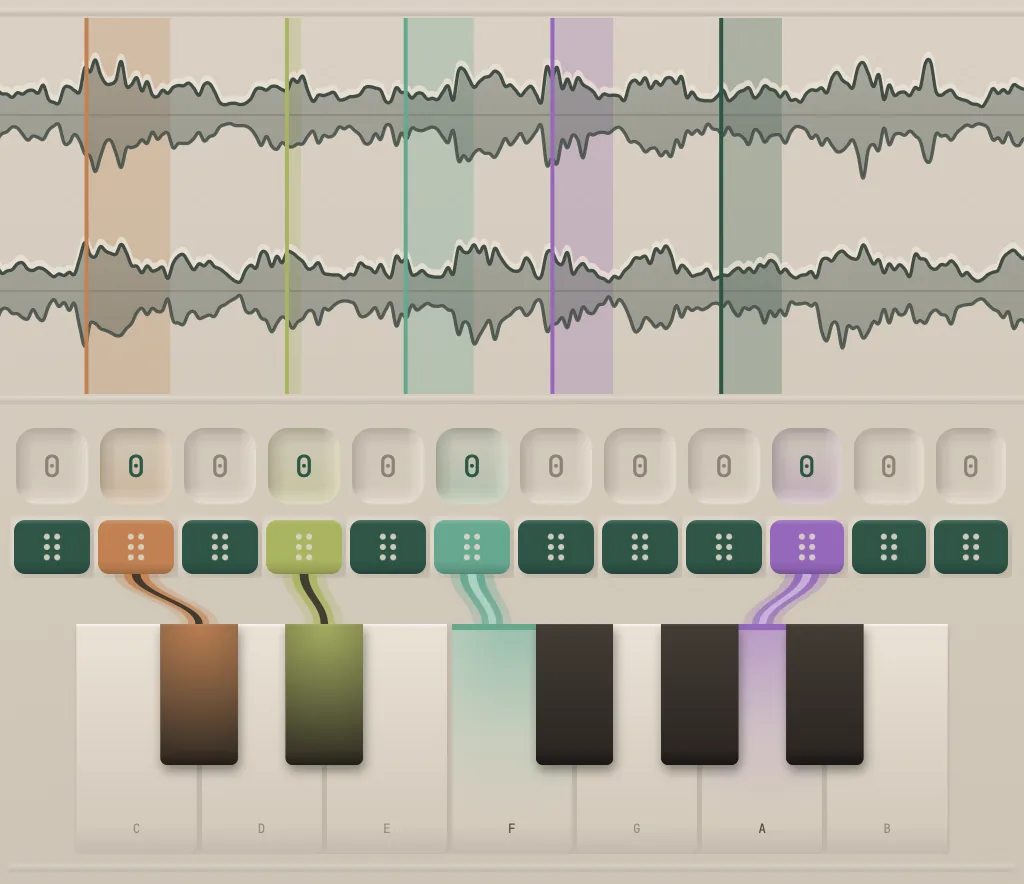
Drag notes onto any point in the sample. Each one plays from exactly where you dropped it and can be pitch-shifted on its own, so an old melody loop becomes a new, playable instrument.
Prefer the usual way? Chromatic mode tracks pitch across the sample like any granular synth, with constant time or constant pitch
Ekoyo configures itself on the audio you loaded via a patch system. You create the whole instrument by loading in your own audio.
Every patch sets up the instrument for you, and every setting stays open to change. A patch alone configures at least 68 parameters.
Every grain is a visible playhead on the waveform. Drag it sideways to change position or vertically to change the amount of grains. You work where you can see the sound.
Split a sample into its layers and shape each one on its own.
5 modulation slots with 3 types. A step sequencer, a LFO, or a randomize engine with various biased distributions.
5 effects: EQ, distortion, delay, reverb, chorus.
All 232 parameters are controllable.
Send in the full feedback form and get a free full license of Ekoyo when it launches.